> ## Documentation Index
> Fetch the complete documentation index at: https://developers.loyaltylion.com/llms.txt
> Use this file to discover all available pages before exploring further.
# Tier progress
Available on the **Advanced plan** and above.
Display a progress bar of the customer's tier position and membership status. The component will render information about points- or spend-based tiers based on your tier settings.
For points-based tiers: Please note that unlike approved points, tier points
do not go down when points are redeemed for a reward. Read more about
[customer tier
progress](https://help.loyaltylion.com/en/articles/9042359-customer-tier-progress).
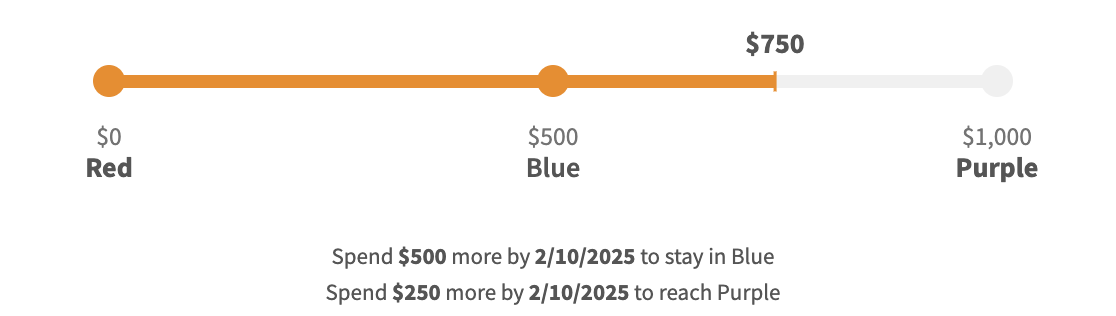
## Multi-tier
Displays the customer's progress through all tiers.
 ```html theme={null}
```
## Single-tier
Displays the customer's progress within their current tier.
```html theme={null}
```
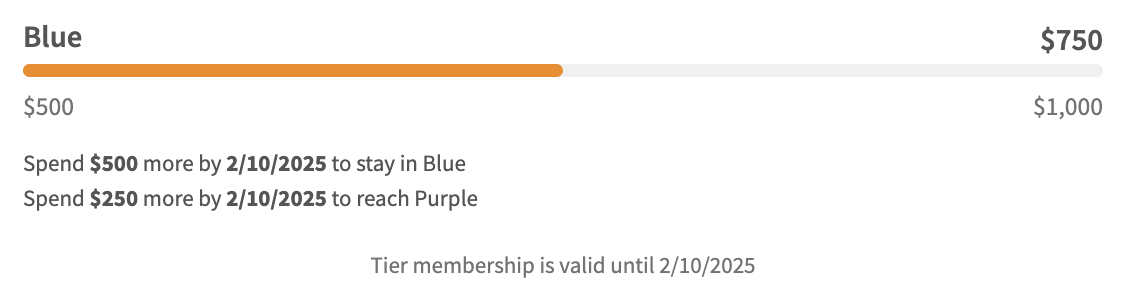
## Single-tier
Displays the customer's progress within their current tier.
 ```html theme={null}
```
```html theme={null}
```