> ## Documentation Index
> Fetch the complete documentation index at: https://developers.loyaltylion.com/llms.txt
> Use this file to discover all available pages before exploring further.
# Tier overview
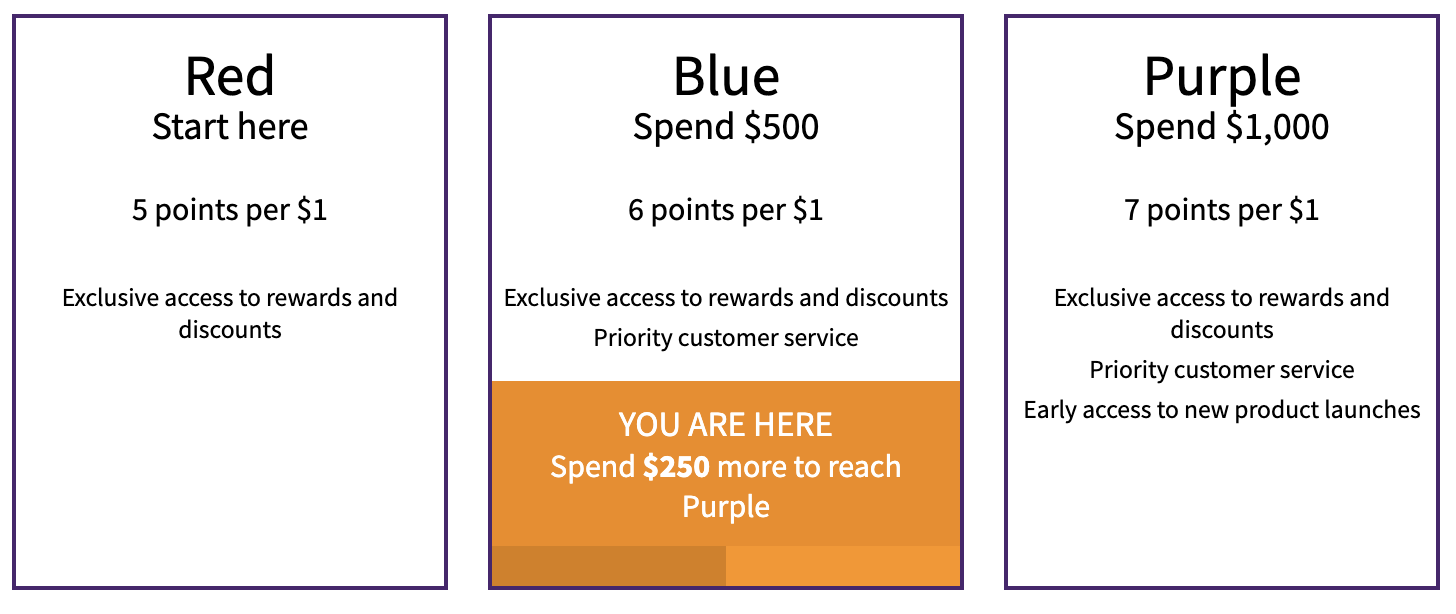
Use this component to render an overview of your loyalty tier program, containing the current customer's loyalty tier membership (if logged in). This overview includes:
* Tier names
* Tier conditions
* Tier purchase rule value
* Tier benefits
If customer is logged in, it shows:
* Footer indicating the current tier
* Progress towards the next tier
If you use our legacy [loyalty panel](/sdk/embeddable-components/loyalty-panel/) - to add the text for Tier benefits, please submit a request to our [support](mailto:support@loyaltylion.com) team with the benefits you want to add for each tier.
If you use our new Loyalty Page interface, you can add tier benefits yourself in the Tiers tab.
## Code
```html theme={null}
```
## Preview